Say Goodby to Tab Switching: Meet the All-New Assist Control Room.
Running a live watch along isn’t easy. Between keeping your eyes on the game, engaging with chat, managing your multistream, and clipping big plays, you’re basically running a full broadcast production single-handed.
Today, we’re releasing our upgraded Stream Setup and Control Room—designed to strip away the chaos and put total control of your stream in one clean dashboard.
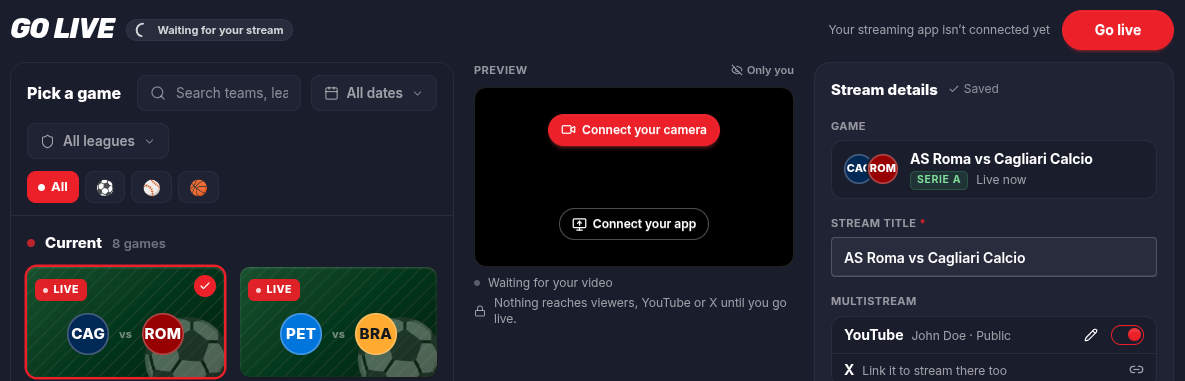
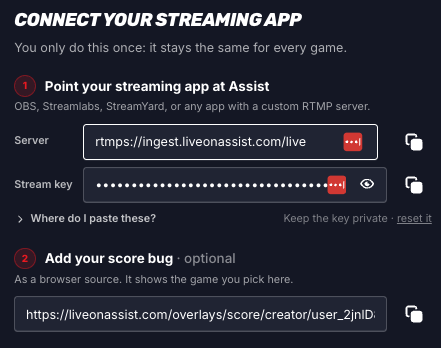
Streamlined Setup
Getting live should take seconds, not minutes. We’ve redesigned our setup flow so you can:
🏈 Pick your game instantly (pro tip: full game scheduling is coming very soon!)
📡 Choose your multistream destinations seamlessly.
Need support for platforms beyond YouTube and X? Let us know where you want to stream next!
The Control Room
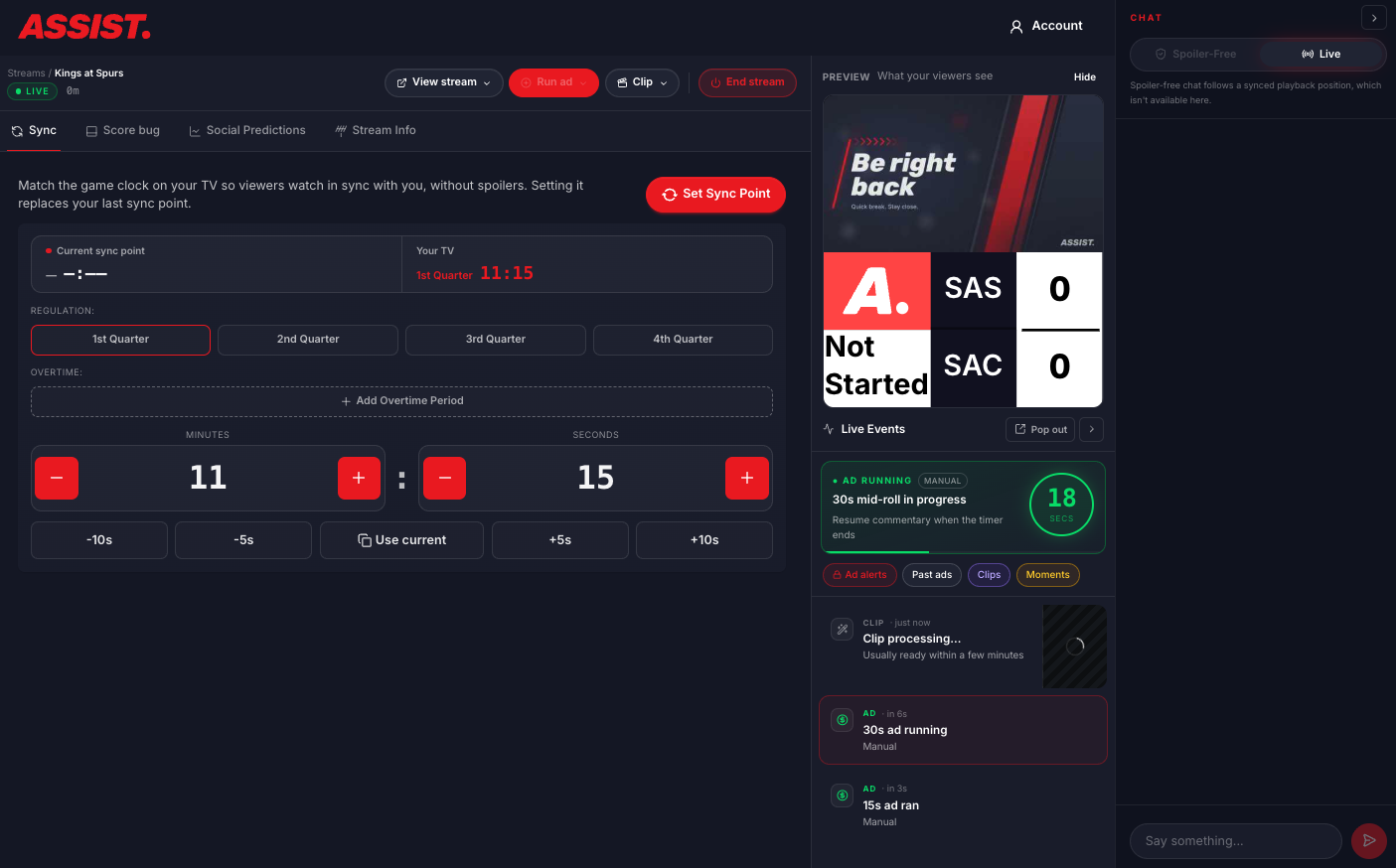
Once you click “Go Live,” the new Control Room brings your entire stream ecosystem under one roof:
⚡ Unified Activity Feed: Track live engagement, clips and chat across your streams in real-time.
✂️ Instant Clips: Capture highlight moments instantly and pop them directly into our Studio for quick editing.
💰 Ad Automation & Management: Preview upcoming ads and track automation run-times so you never run a commercial during a critical play.
🔮 What’s Next?
We aren’t stopping here. Later this year, we’ll be releasing native software plug-ins to make connecting Assist directly into your primary broadcast software (OBS, Streamlabs, vMix, etc.) smoother than ever.
Ready to simplify your next stream? Head over to your dashboard and check out the new Control Room for your next watch-along!
What else do we need? Reply to our Discord with any feedback and we will get back to you ASAP!